
Work Instruction Software: Digital Work Instructions for Manufacturing
Why paper and PDF fall short on the shop floor – and how digital work instructions with video, QR codes, and automatic translation work in practice. EU-hosted.

Work instruction software replaces paper and PDF work instructions with digital, always-current instructions available right at the workstation – as video, step-by-step guides, or via a QR code on the machine. The difference that matters: one source of truth, every language your workforce speaks, findable through search and an AI assistant instead of buried in binders. This article shows what that changes in daily production and service work.
Why paper and PDF fall short
Three problems show up in almost every plant. Paper goes stale: the process changes, the instruction on the board doesn't, and nobody notices until the defect is in the series. PDFs go unread: a 12-page document on a shared drive helps no one standing at a machine with oily gloves. And documents speak one language: on European shop floors that's a real constraint – around 10 million EU citizens work in another member state (European Commission, 2024), and in Germany roughly one in six employees is a foreign national. Add the time cost: employees spend nearly 20% of the workweek searching for information, and a searchable knowledge base can cut that search time by up to 35% (McKinsey Global Institute, 2012).
What digital work instructions do differently
The core is not "PDF, but on a tablet". It is a different workflow: film the expert doing the real job once – phone, GoPro, or smart glasses – and the software turns the recording into a structured guide: transcript, chapters with timestamps, summary, FAQ. No script, no film crew, no afternoon at a desk. And it works: in a controlled study, visual instructions cut assembly errors by 82% versus paper (Tang et al., ACM CHI 2003).
In Mira, three things come on top:
- QR codes on the machine: One scan opens the right guide for exactly that asset – no login, no searching.
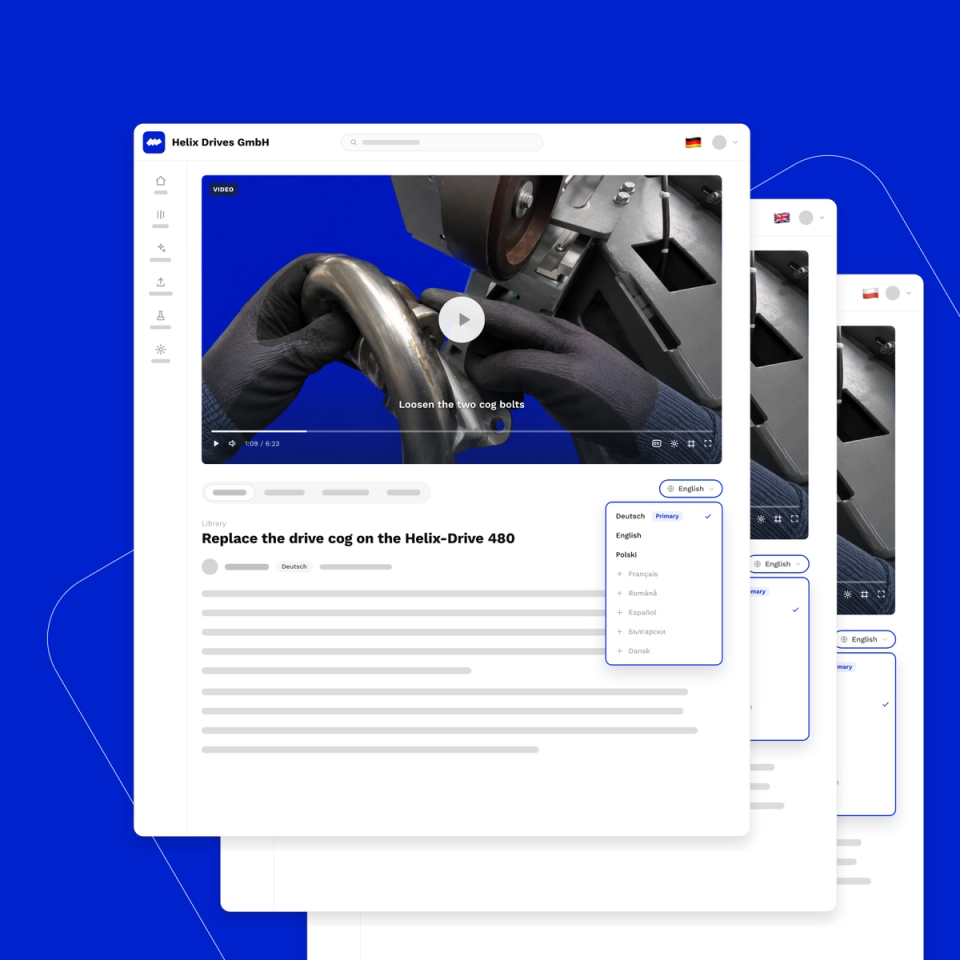
- Automatic translation and AI dubbing: Recorded once in German or English, available in 14+ languages – subtitles and natural AI voice-over included. Your Romanian-speaking colleague watches the same guide in Romanian.
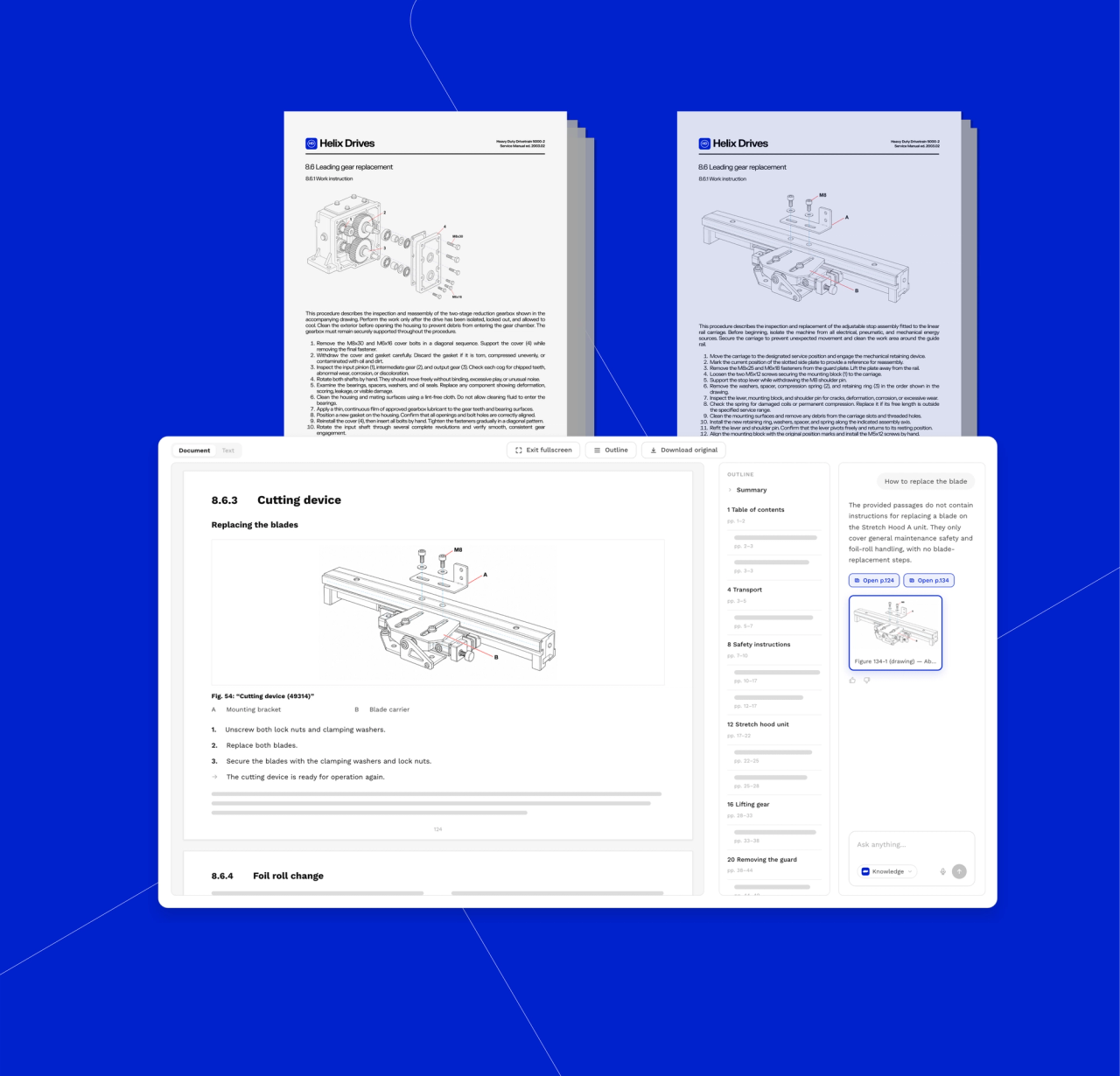
- An AI assistant with citations: Ask a question in chat, get an answer that links to the exact video timestamp. Around the clock, judgment-free.
Three use cases from practice
1. Series assembly: At product changeover, the setup guide hangs at the station as video. New operators work independently in days instead of weeks – and the effect is biggest for the least experienced: a large field study measured +14% productivity on average with an AI assistant, and +34% for novices (Brynjolfsson, Li & Raymond, NBER 2023).
2. Maintenance and field service: The technician is alone at the asset; the colleague with 30 years of experience is on holiday. Instead of calling around, they ask the assistant and get the video moment with the decisive hand movement. Fewer repeat visits, less downtime.
3. Machine builders and OEMs: Ship a digital knowledge base with every machine. The customer scans the QR code on the asset and solves standard problems themselves – instead of waiting days for a service technician. For the OEM: fewer support tickets, happier customers.
Comparison: paper vs. PDF vs. digital work instructions
| Criterion | Paper at the station | PDF on a drive | Digital (e.g. Mira) |
|---|---|---|---|
| Currency | Goes stale unnoticed | Version chaos ("final_v7") | One source, always current |
| Findability | Search the binder | Guess the filename | QR code, search, AI assistant |
| Languages | One | Manual translation, expensive | 14+ languages automatic, incl. dubbing |
| Creation effort | Hours at a desk | Hours at a desk | Film once, rest is automatic |
| Shows hand movements | Photos only | Photos only | Video with chapters and timestamps |
| Audit evidence | Signature sheet | Barely possible | Access and versions traceable |
Built for European manufacturers: EU hosting, GDPR, languages
Most work instruction tools are US products. Mira is engineered and hosted in Germany, with full EU data residency – including AI processing – and GDPR compliance by design. Language rules matter here too: EU machinery legislation requires instructions in a language operators easily understand, and German safety law bars assigning work to someone who hasn't understood the instructions. Pricing is by storage volume and support level, not per seat – so the whole workforce can use it. Free tier for small teams. Details: product overview.
Frequently asked questions about work instruction software
What is work instruction software?
Software that creates, manages, and delivers digital work instructions – typically with step-by-step or video guides, workstation access via QR code or tablet, version control, and increasingly automatic translation and AI-assisted search.
Do we need new hardware?
No. Capture happens on a phone – optionally GoPro or smart glasses for hands-free work. Viewing happens in the browser or app on devices most plants already have. QR codes you print yourself.
How do our existing Word and PDF instructions get into the system?
Upload them. Mira processes documents (PDF, Word, PowerPoint, Excel) alongside video and audio. They become searchable and feed the AI assistant's answers. Existing documentation is starting capital, not legacy baggage.
What does work instruction software cost?
Most vendors charge per user – expensive with 200 operators. Mira is priced by storage volume and support level, not per seat, with a free tier for small teams to evaluate.
See it live
30 minutes, your use cases, no slide deck: book a demo. For the fundamentals first, read our work instructions guide with free template and the practical guide to knowledge management.
About the author: Phil D. is Head of Product at Mira and works with manufacturing and service teams across Europe introducing digital work instructions.


